
How to Install the Hero 11 App APK on Android: Complete Steps
Seven steps from Hero11’s Install page to your first login, with the exact Android settings for Samsung, Xiaomi and other phones.
Install page → File → Permission → Login
On this page
Quick answer
Open Hero11’s “Install the Hero11 App” page in Chrome on your Android phone and tap DOWNLOAD NOW. When the download finishes, open the file from Downloads, allow Chrome to install unknown apps if Android asks, keep Play Protect on and tap Install. Then open Hero11, tap LOGIN/REGISTER and enter your email or mobile number without +91.
What is an APK?
An APK is an Android installation file. Apps from the Play Store install the same kind of file in the background; when you download one yourself, Android asks you to confirm because the file came from outside the store. That is why Hero11 needs one extra permission the first time.
Checks before installing Hero11 APK
- You are on an Android phone or tablet (iPhone: see Hero11 on iPhone).
- You are using Chrome, not the browser inside WhatsApp, Telegram or Facebook.
- You have free storage — as a rule of thumb about twice the file size plus 500 MB.
- You opened the link from this guide or typed the Hero11 address yourself — not a forwarded file.
How to install Hero11 APK on Android
Step 1: Open the Install page
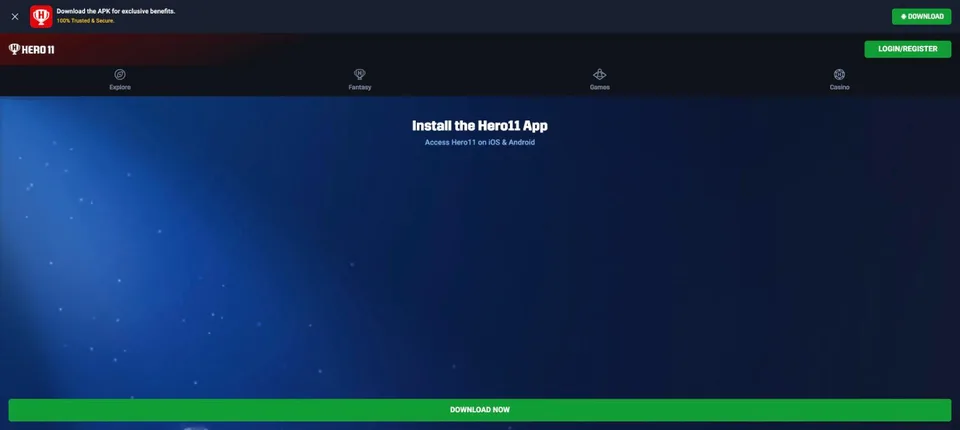
Tap a Hero11 APK button on this site. The page that opens is titled Install the Hero11 App and says “Access Hero11 on iOS & Android”. You can also reach it from the Hero11 footer: Features › Hero11 App.
Step 2: Tap DOWNLOAD NOW once
Chrome shows the progress in the notification bar. Wait for “Download complete”. If Chrome asks whether to keep the file, tap Download anyway or Keep.
Step 3: Find the downloaded file
Step 4: Allow Chrome once
Tap the file. If Android blocks it, tap Settings on the message and switch on Allow from this source for Chrome. Menu names differ by brand:
| Phone | Where the switch is |
|---|---|
| Most Android phones | Settings › Apps › Special app access › Install unknown apps › Chrome |
| Samsung | Settings › Apps › ⋮ › Special access › Install unknown apps › Chrome |
| Xiaomi, Redmi, POCO | Settings › Privacy protection › Special permissions › Install unknown apps › Chrome |
Step 5: Keep Play Protect on
If Play Protect shows a warning, stop and go back to Hero11’s Install page — don’t switch Play Protect off to force an install.
Step 6: Install and open
Tap Install, wait for “App installed”, then Open. If Android shows Update instead, you already have Hero11 and this file updates it.
Step 7: Turn the permission off again
Go back to Install unknown apps › Chrome and switch Allow from this source off. You can switch it on again for the next update.
If Hero11 is already installed
Install the new file over the existing app — don’t uninstall first, or you lose the login saved on that phone. Compare the version in Settings › Apps › Hero11 before and after. More in Hero11 APK latest version.
What to check after installation
- Hero11 opens to Explore with the HERO 11 logo and the Fantasy, Games and Casino tabs.
- LOGIN/REGISTER shows one field: Email/Mobile No. (omit country code).
- No other unknown app was installed at the same time.
- Delete extra copies of the APK from Downloads.
Something failed? Name the stage and use the install error guide.
Frequently asked questions
How do I install the Hero11 APK on Android?
Open Hero11’s Install the Hero11 App page in Chrome, tap DOWNLOAD NOW, open the finished file from Downloads, allow Chrome to install unknown apps if asked, and tap Install.
Why does Android block the Hero11 install?
Android blocks files from outside the Play Store until you allow the app that opens them. Tap Settings on the message and switch on Allow from this source for Chrome.
Do I need a third-party APK installer?
No. Android’s own package installer handles the Hero11 APK. Avoid installer apps that ask for extra permissions.
Should I turn Allow from this source off afterwards?
Yes. It is only needed while you install. Turning it off stops other files from installing without your notice.
Open the Hero11 Install page
Check the page title and the HERO 11 logo, then tap DOWNLOAD NOW.
Get Hero11 APK for AndroidReferences
hero11.games is an independent information guide, not the Hero11 operator. Download and platform buttons open the Hero11 site (hero11-in.hero11apex.com) through tracked partner links. This site does not host the APK, create accounts or handle payments. 18+ · Local eligibility and responsible use
Editorial update: · hero11.games Editorial Team